
Appearance
Skip to contentA native file manager
A native file manager
for macOS
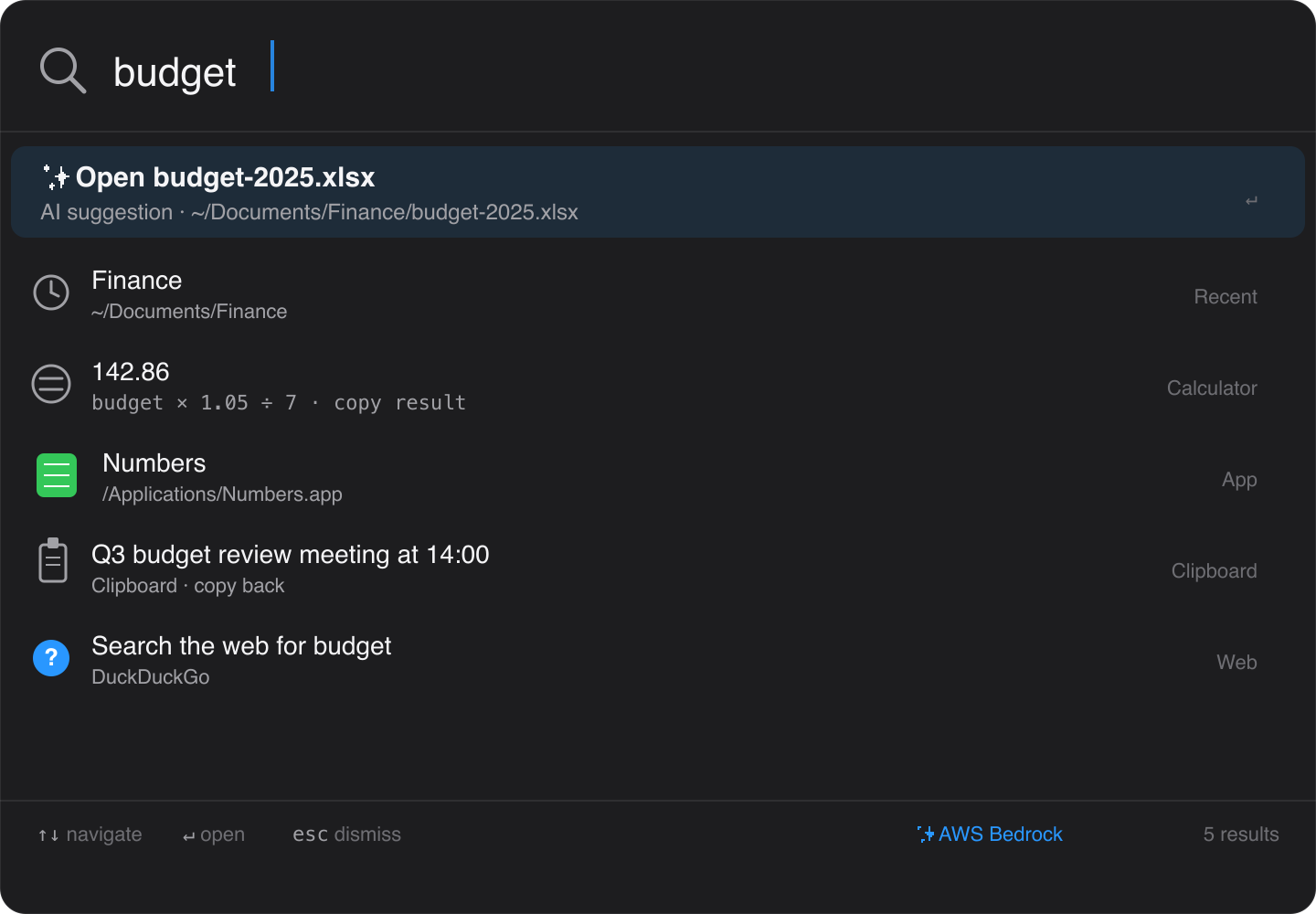
Seek is a free, native macOS file manager with everything you'd pay for elsewhere: dual / quad pane, Git integration, SFTP / S3 / WebDAV, bulk rename, full Quick Look, and a Spotlight-class global launcher (⌘⇧Space) that's actually file-manager-aware — calculator, clipboard history, web search, and optional local AI for natural-language requests. No telemetry. No accounts.
macOS 14+ · Free · No account required
One window. Whatever you need.
Browse local folders, connect to remote servers, work with git, search across everything.
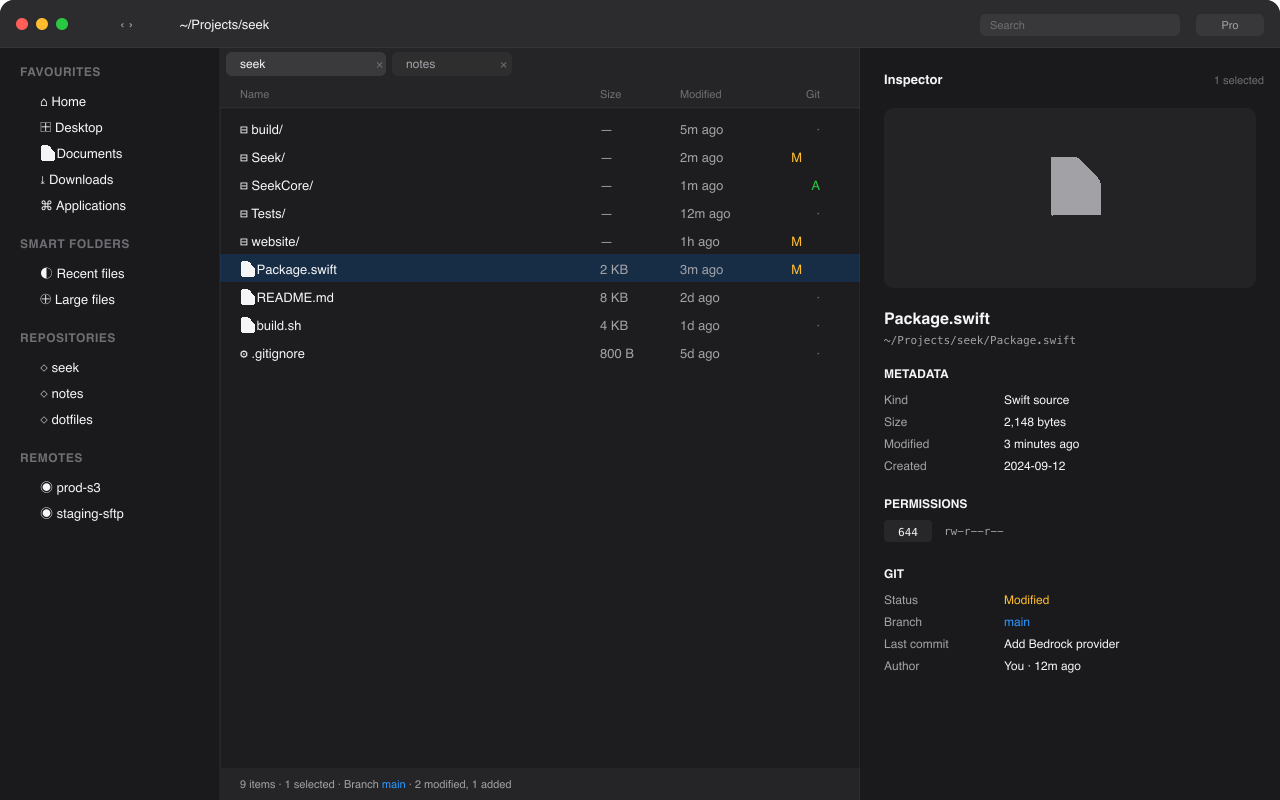
Up to four panes in one window. Real tabs you can tear off, drag between panes, and restore. Editable address bar with ⌘L. Cut and paste with ⌘X / ⌘V. Type-to-select in any view. Add or remove panes any time from the toolbar.
See it
The window. Up to four panes, real tabs, a sidebar that knows about your repos, and an inspector that shows git, permissions, and metadata at a glance.
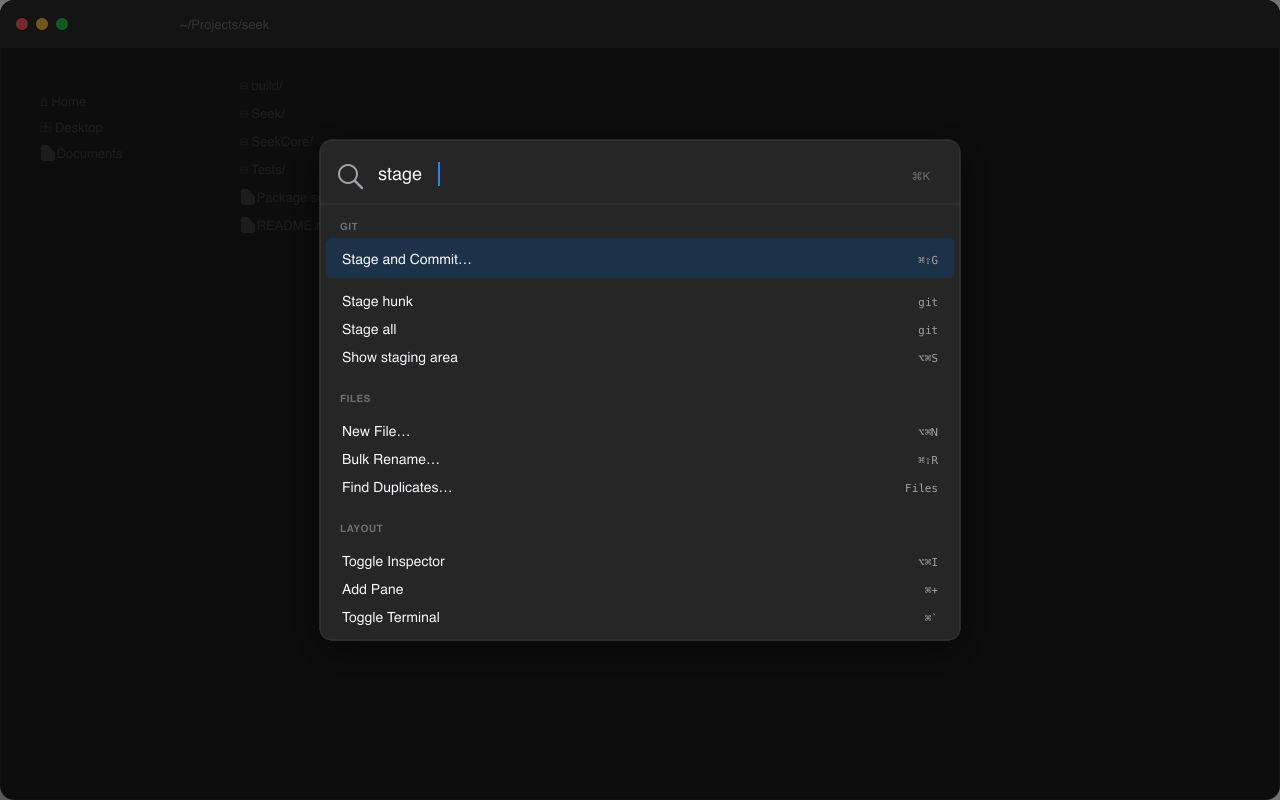
⌘K command palette. Every action, every shortcut. Categorised, searchable, fuzzy-matched. Press ⌘K from anywhere in Seek.
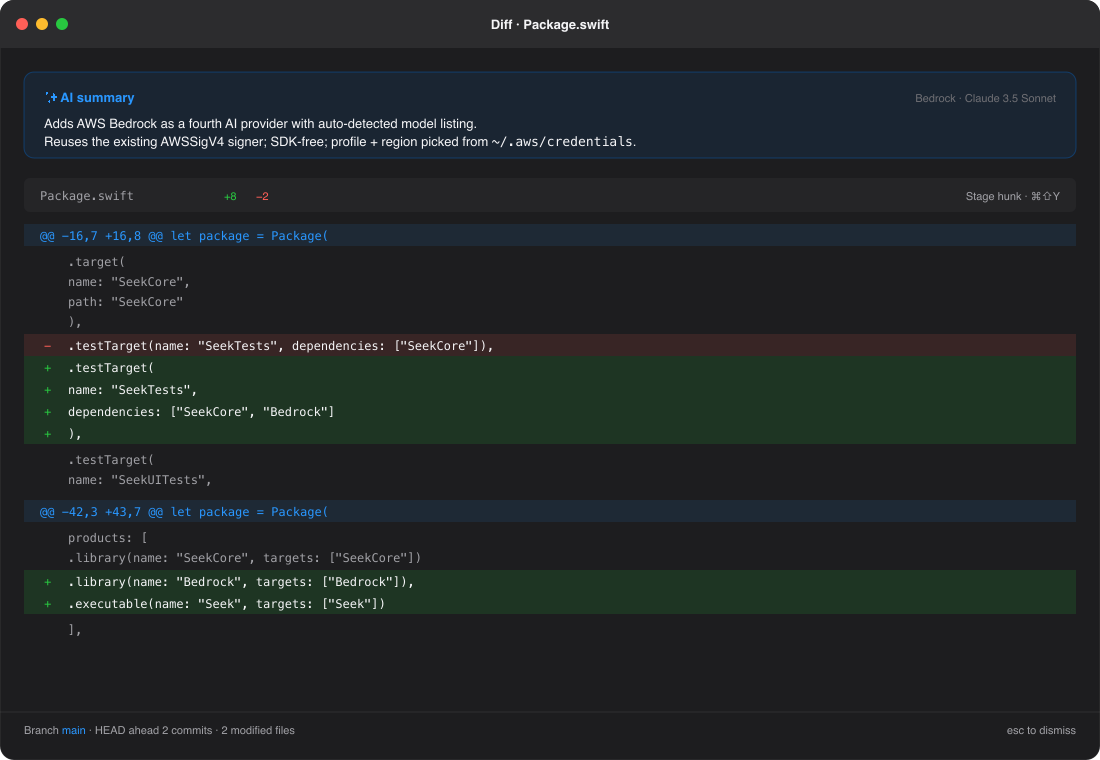
Git diffs with optional AI. Coloured hunks, per-hunk staging, and a one-line AI summary when you've connected a provider.
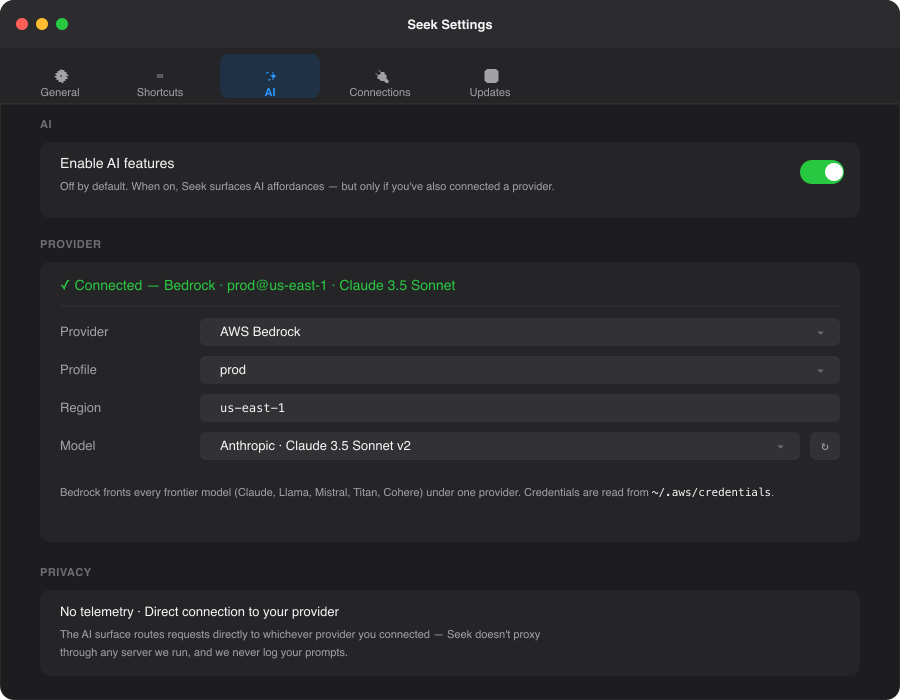
Bring your own AI. Local Ollama, OpenAI-compatible, Anthropic, or AWS Bedrock. Pick a profile, pick a model, done. Read more →
What you get
Up to 4 panes
One pane for everyday use, dual pane for moves, three or four for power workflows. Add or remove from the toolbar any time.
Real tabs
Tear off, drag between panes, restore your last session. ⌘⇧T reopens the last closed tab.
Command palette
Press ⌘K. Search every action, recent path, favorite, saved connection, and git command. Found in milliseconds.
Global launcher
⌘⇧Space from any app. Files, apps, calculator, clipboard, web search. Single window with ⌃⇧Space when you need to summon Seek.
Optional AI
Local Ollama / llama.cpp, OpenAI-compatible, Anthropic, or AWS Bedrock. Read-only verbs, your provider, no telemetry. Learn more →
Remote servers
SFTP, WebDAV, and S3 first-class. AWS, R2, B2, MinIO, DO Spaces, Wasabi all supported. FTP / SMB coming soon
Git built in
Status, stage, commit, push, pull, branch, blame, diff, conflict viewer, and per-hunk staging. Every git action in the palette.
Embedded terminal
Multi-tab, persistent history. Up/Down recall is prefix-aware. ⌃R ranks by frecency. Tab expands snippets. Pop out when you need a real PTY.
Clipboard history
⇧⌘] opens the recent-text panel — searchable, length-aware, polled every second so nothing slips by. Also surfaces inside the launcher.
Snippets
Define triggers like /today and let , , placeholders fill themselves in on Tab.
Workspaces
Save a multi-pane layout (URLs, view styles, inspector) by name. Restore it with one palette click on the next launch.
Trash undo
Every Seek-driven trash is logged. One-click recover from "Trash History" — no manual ~/.Trash digging.
Bulk rename
Regex, sequence numbering, find/replace, case change, EXIF-based — with live preview. No upgrade required.
New File
⌥⌘N. Type any name (Makefile, .gitignore, Dockerfile) — no auto-extension, no template scaffolding. Trust-the-user policy.
Calculator + web search
Type 12 * 30 / 7 for an inline answer. ?swift async stream opens DuckDuckGo (configurable). Bare URLs open directly.
Archives
Zip, tar.gz, 7z, rar, xz — read, browse inline, create. Encrypted archives supported.
Quick Look++
Syntax-highlighted code, rendered markdown, EXIF, video metadata, archive contents, hex view. Existing extensions still work.
Configurable hotkeys
⌘⇧Space launcher, ⌃⇧Space window. Both recordable in Settings → General if you've already given them to Raycast or Alfred.
AppleScript & Shortcuts
AppleScript dictionary, Shortcuts.app actions, and a seek:// URL scheme.
Free, no account
No accounts. No trial. No telemetry. Sparkle auto-updates with EdDSA-signed appcast.
Try it
Download Seek and replace Finder in a few seconds.
Download FreeFree and open to everyone. Built by Ataiva.